
XNote Review: Is XNote Write Worth It for You?
The maker's review of XNote Write, limits first: owners' complaints word for word, the audio myth corrected, a dated first-year cost and what to buy instead.

On this page
On October 9, 2026, Bing's AI summary for "xnote review" got a basic fact wrong: it told buyers the "Pen can record audio." It can't: the XNote Write pen has no microphone. We make XNote, so this review puts the limits first.
Quick answer
XNote Write, a smart pen and notebook, is worth it if you write by hand most days and want every page searchable, with no subscription. Skip it if you write a page now and then, want the pen to record audio, or need to erase. Three facts before you buy: the pen has no microphone, the phone is not included, and only XNote paper works: XNote notebooks, or pages you print free from the XNote app on a laser printer.
Is XNote worth it?
XNote Write is worth its $199 (checked October 9, 2026) if you meet what we call the most-days rule: you write by hand on most days, and you want to find and reuse those pages without retyping them. If you write a page now and then, it isn't worth it: your phone's camera does that job for free.
Picture someone flipping back through 60 pages for the supplier lead time they wrote down in March. XNote Write is for them. Someone who jots a grocery list twice a month doesn't.
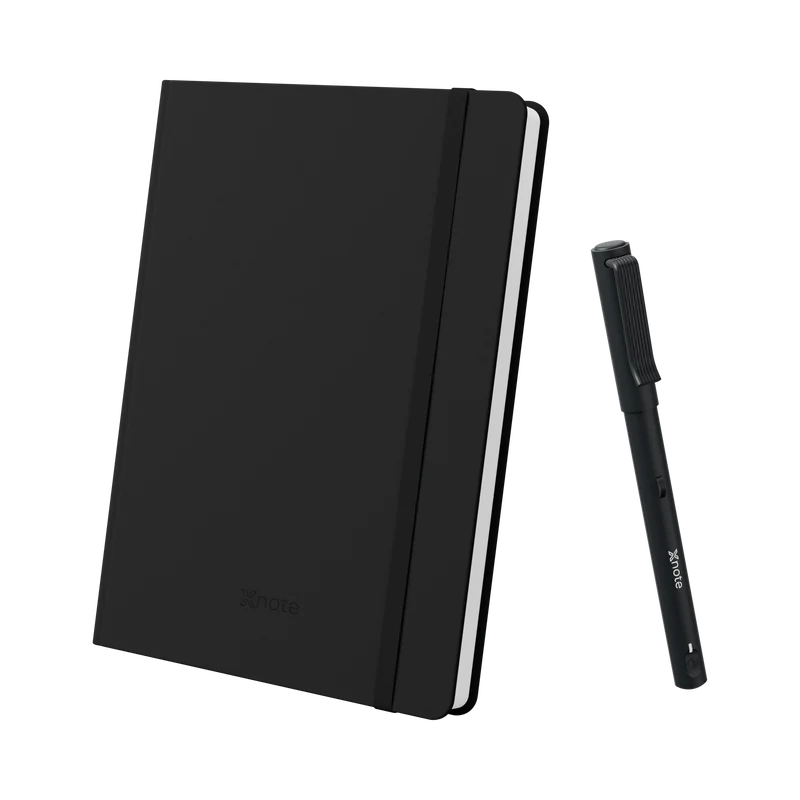
XNote Write is a smart pen and notebook: you write with real ink on XNote paper and your handwriting appears in the XNote app, searchable and understood by AI. The pen reads a tiny pattern printed on XNote notebooks and on pages you print from the XNote app, and sends every stroke to the app over Bluetooth (here's how a smart pen knows where it is on the page).
In the box: XNote smart pen, Standard notebook (5.83 × 8.27 in, 192 pages), USB-C charging cable, 5 D1 ink refills. Phone not included.
Worth it if
- You write by hand most days and want to find any page by a word you wrote.
- You want real ink on paper, with no screen to write on and nothing to scan.
- You don't want another monthly bill: unlimited handwriting-to-text comes with no subscription.
- You want the to-dos and dates you write to become tasks and calendar events.
Not sure? See who should skip it, and what to buy instead.
XNote reviews: what do owners complain about?
In their reviews, XNote Write owners complain about two kinds of things: limits built into the product (no eraser, the price) and day-to-day problems (the pen not reconnecting, thin setup instructions, missed strokes after a pause, words read wrong, light ink and underwhelming AI). Here are eight, word for word, with what's true and what to do about each.
On October 9, 2026, the XNote Write product page showed 4.6 from 195 reviews of XNote products. We read all 195 that day. Here are the complaints, lowest stars first, typos kept. We're not claiming any of them is fixed.
The pen won't reconnect
"the pen connected well to the app the first time and then there is no way to make it connect. ... I asked support but no answer yet, after a couple of weeks."
Verified buyer, April 2025
- What's true
- The pen pairs with the XNote app over Bluetooth, and the first pairing needs internet. The owner had already restarted the pen, Bluetooth, the app and the phone; the step left in XNote's connection steps (quoted in the FAQ) is the 10-second reset.
- What to do
- Press and hold the power button for 10 seconds. Still stuck? Email support@xnote.ai. If it still won't connect within 30 days of receiving it, request a return.
Thin setup instructions
"there are no instructions!"
Verified buyer, April 2025
"I would really like to have more instruction."
Verified buyer, February 2025
- What's true
- XNote published a setup video on June 29, 2026: "How to Use XNote | Smart Pen and Notebook Setup Guide".
- What to do
- Watch it first, then use the connection steps in the FAQ.
The price
"Seems a lot of money for what it is."
Verified buyer, April 2025
- What's true
- The set is $199 (checked October 9, 2026), and no subscription is needed.
- What to do
- Check the most-days rule first. If you buy, you can write in the notebook and still request a return within 30 days of receiving it; send the set back complete for a full refund.
Missed strokes after a pause
"if you hold the pen still for a time, then start using it again, it has gone into standby and doesn’t capture the written notes."
Verified buyer, July 2025
- What's true
- XNote's power article says the pen turns off after more than 6 idle hours (adjustable from 1 to 10 hours in the app) and turns on again when you uncap it or start writing. It doesn't say whether that first stroke is captured.
- What to do
- After a pause, check that the app shows your writing.
No eraser
"Biggest limitation is no eraser no corrections allowed."
Verified buyer, February 2026
- What's true
- The ink is permanent, like any ballpoint. You can edit the converted text in the app, but not the page.
- What to do
- If erasing matters, a reMarkable or an iPad fits better (see what to buy instead).
Some words come out wrong
"Even normal, normally written words in the supported languages are not fully recognized, and completely different words appear instead."
Verified buyer, June 2025
- What's true
- The XNote app can misread words, and you can edit any converted text in the app.
- What to do
- Write a few full pages in your first week and read the text. If you'd be fixing every page, request a return within 30 days. The same owner's fix for small dots is under page 32.
Light, fine ink
"The ink is very light and extra fine."
Verified buyer, June 2026
- What's true
- The pen takes standard D1 ballpoint refills, black, 0.8 mm. XNote's refill article says any standard D1 refill fits, but its pen guide warns that "a non-recommended refill may cause recognition problems."
- What to do
- If you try a darker refill, write a test page and check the text in the app.
The AI underwhelmed
"The AI organising capability is underwhelming. I assume there will be more development in future."
Verified buyer, July 2025
- What's true
- AI chat is included, with usage limits. We won't promise what comes next.
- What to do
- Ask the app about your own pages in your first week, and judge it while you can still return the set.
What do owners like about XNote Write?
Owners who like XNote Write mention watching their handwriting appear in the XNote app as they write (with the app open and connected), sending notes out the same day, and time away from the keyboard. Some say it reads their messy handwriting.
One owner's first reaction: "When I first saw this I thought it was a scam ... BUT I checked it out and bought it." (Verified buyer, April 2025, 5 stars.)
- Watching it happen. "it's incredibly cool to see your scribbles on the page and on the screen simultaneously." (Verified buyer, September 2024, 4 stars. The same review adds: "My only issue is difficulty connecting the pen to the app".)
- Messy handwriting. "It does a great job recognizing my horrible handwriting." (Verified buyer, January 2025, 5 stars.) And: "The handwriting recognition has been shockingly accurate, even with my rushed meeting scrawl" (Verified buyer, January 2026, 5 stars.)
- Same-day follow-up. "The first client I used it with, I emailed the notes to them before they even left the office." (Verified buyer, June 2025, 5 stars.)
- Less screen. "It also makes you step away from your keyboard to use it... and that is a good thing too." (Verified buyer, October 2024, 5 stars.)
Happy owners don't prove it will read your handwriting. Write a few full pages in your first week and judge the text yourself. Our own demo page shows why that test matters.
One real page, mistake included
On page 32, a demo page from our own XNote Write product page, the XNote app read the final period as a comma. That's the page we picked to show off.


The page ends "11 am." and the app's last line reads "Email Sarah tomorrow at 11 am," so Sarah's 11 a.m. email now ends on a cliffhanger. In the app's defense, our period has a bit of a tail.
The owner behind complaint 7 noticed "some issues with small dots (at the ends of sentences, etc.)" and found an easy fix: "All you need to do is make the dots a little bigger and the problem is solved." Worth a try if your periods turn into commas too.
Does the XNote pen record audio?
No. XNote Write does not record audio. The pen has no microphone. To record, use the XNote app on your phone, or send the meeting recorder to a Zoom, Google Meet or Microsoft Teams meeting. The Free plan includes 150 audio minutes a month.
It's an easy mistake: a pen that knows where it is on the page sounds like it should also hear the room. Bing's summary cited third-party review sites, not xnote.ai. For audio tied to your handwriting, inq and Notability fit better.
The XNote app can't record phone calls; XNote Voice can. It's a standalone recorder that attaches magnetically to the back of a phone. XNote Voice is on pre-order at $159, with target shipping in Q4 2026 (checked October 9, 2026). Your phone's own Phone app may record calls too.
Recording laws differ by state and country. Tell everyone on the call that you're recording, and get their consent where the law requires it. To keep a record of any call with no recorder at all, see how to take notes during a phone call.
Bing's summary also used an old name for XNote Write, and two fair questions keep coming up: one is Google's top suggestion for "does xnote", the other a buyer's. Here is each, with its source and what's true.
Does XNote work on any paper?
No. The XNote pen captures handwriting only on XNote paper: XNote notebooks, or pages you print free from the XNote app on a laser printer. On ordinary paper, or in a notebook you already own, it's just a pen. It's worth being blunt here: "does xnote work on any paper" is Google's top suggestion when you type "does xnote" (checked October 9, 2026).
XNote notebooks come in Mini (3.54 × 5.51 in, 144 pages), Standard (5.83 × 8.27 in, 192 pages) and Large (6.93 × 9.37 in, 192 pages). Or print free pages from the XNote app on your own laser printer, on US Letter or A4, in layouts like Meeting Notes, Cornell Notes and Weekly Planner. Inkjet prints can't be read by the pen. No laser printer? Buy XNote notebooks, or have a print shop such as FedEx Office or Staples print the app's pages (prices in the cost section below).
One owner named the real worry: "If the company disappears, I’ll be left with a pricey piece of e-waste" (Verified buyer, May 2025, 2 stars). That's fair, and we won't pretend otherwise: handwriting-to-text, search and printable pages all run through the XNote app. You can keep your own copies today: export any page as a PDF or Word file. The pen itself takes standard D1 ballpoint refills.
How much does XNote cost after you buy it?
After the $199 XNote Write set, it's just paper and ink. No subscription needed. Pages you print from the XNote app are free: you pay only for your own paper and toner on a laser printer, about 7 cents a page (5 to 10 cents) at US prices we checked on October 9, 2026. Inkjet prints can't be read by the pen.
Rather buy notebooks? Prices checked October 9, 2026 on xnote.ai: XNote notebooks are $19 (Mini), $29 (Standard) or $39 (Large), and refills are $12 for five.
In our three examples, a first year costs $199 to about $260 if you print your pages, or $199 to $344 if you buy notebooks, depending on how much you write.
| How much you write | Pages | Printed pages | Bought notebooks |
|---|---|---|---|
| 2 pages a week | about 104 | $199the included notebook covers it | $199 |
| 1 page a workday | about 260 | about $204$202 to $206 | $228plus 1 Standard notebook |
| 4 pages a workday | about 1,040 | about $260$242 to $283 | $344plus 5 Standard notebooks |
Prices checked October 9, 2026, before tax, shipping and extra refills. Printed pages: about 7 cents each (5 to 10 cents) for paper and toner on your own laser printer, after the notebook in the box. At a print shop (about 25 cents a page), the three rows come to $199, about $216 and about $411. Page counts are our assumptions (260 workdays a year). Sources below.
The printed totals assume you already own a laser printer that meets XNote's printing checklist: 600 dpi or better, genuine toner and a PS or PCL printer driver. Without one, notebooks are the simpler first year: the cheapest printer we found whose listed specs meet the checklist, the Brother HL-L2460DW, was $179.99 (checked October 9, 2026).
No laser printer? You can print the app's pages at a print shop such as FedEx Office or Staples: black-and-white letter pages on 24 lb paper cost about 25 cents each (21 to 34 cents) at prices we checked on October 9, 2026. Choose US Letter in the app, ask for single-sided, actual size (not "fit to page") and laser output, and try one test page with the pen first.
A print shop is a convenience, not a saving. At 4 pages a workday, it makes year one about $411, against $344 with bought notebooks. It costs less only at 1 page a workday (about $216 against $228), because a second notebook would sit mostly unused.
Paid plans are optional and mainly for audio: see XNote's plans and what the Free plan includes. For XNote Write against other digital notebooks over three years, see the 3-year cost of a digital notebook without a subscription.
Not counted above: sales tax, shipping (XNote Write ships free in the US, and other US orders ship free over $65), a printer if you need one, and refills beyond the five in the box. XNote doesn't publish how many pages a refill writes, so we didn't guess.
Who should not buy XNote Write?
Skip XNote Write if you rarely write by hand (the most-days rule), want audio linked to your handwriting, need to erase or mark up PDFs, want to keep your own notebooks, or need documented compliance. The cards below name a better fit for each, with prices from each maker's page, checked October 9, 2026.
One owner even named the alternative for us: "You can get very similar functionality from an application called Notability." (Verified buyer, February 2026, 3 stars.) If you already own an iPad and like writing on glass, that owner has a point.
If you write a page now and then
Your phone's scanner. Free.
The Notes app scans text and documents with the camera. Apple
If you want audio linked to handwriting on paper
The inq writing set, $165
It replays your handwriting in sync with the audio. inq
If you want audio linked to handwriting on an iPad
Notability, on its paid Plus plan
It links audio recordings to your notes. See Notability's plans.
If you need to erase, rewrite or mark up PDFs
A reMarkable, from $399, or an iPad (A16), from $449 for 128 GB
A screen lets you erase; XNote ink is permanent. The Apple Pencil is sold separately. Prices: reMarkable, Apple. Our XNote vs reMarkable comparison goes deeper.
If you want to keep your own notebooks
Keep them, and scan pages with your phone. Free.
Only XNote paper syncs with XNote Write.
If you need documented compliance
A tool that publishes the certifications you need
Read XNote's privacy policy and compare.
Or see XNote Write side by side with an iPad, a photo of the page, Rocketbook and reMarkable.
XNote Write
A smart pen and notebook: real ink on XNote paper, and your pages in the XNote app. Try it with 30-day returns.
See XNote WriteCan you return XNote Write?
Yes. You can request a return within 30 days of receiving XNote Write: try the pen and write in the notebook, and for a full refund, send the set back complete.
The fine print, from XNote's 30-day returns page: original shipping fees may not be refunded, and notebooks bought separately can be returned if unused. The pen has a 12-month warranty.
In fairness, two rivals give you longer to decide: inq advertises 100 days and reMarkable 50 days on their own pages (checked October 9, 2026).
The owner above who praised the handwriting recognition went in planning to use that window: "I was prepared to try it and return it if it did not live up to my expectations." The same review, one sentence later: "Well, after 2 weeks I still have it".
More questions about XNote Write
Does XNote need a subscription, or cost more after you buy it?
No subscription needed. XNote Write comes with the Free XNote plan: unlimited handwriting-to-text, search, tasks and events, export and printable pages. AI chat is included, with usage limits. The Free plan also includes 150 audio minutes a month. After the $199 set, you pay for paper: printed pages cost your own paper and toner, about 7 cents a page on a laser printer, and notebooks start at $19 (checked October 9, 2026). Inkjet prints can't be read by the pen.
Does the XNote pen record audio?
No. XNote Write does not record audio: the pen has no microphone. To record a meeting, use the XNote app on your phone, or send the meeting recorder to a Zoom, Google Meet or Microsoft Teams meeting. The Free plan includes 150 audio minutes a month. If you want audio linked to your handwriting, the inq writing set and Notability (on its paid Plus plan) both do that.
Can I use the XNote pen in my own notebook?
No. The XNote pen captures handwriting only on XNote paper: XNote notebooks, or pages you print free from the XNote app on a laser printer, on US Letter or A4. In a notebook you already own, it's just a pen. Ordinary paper won't sync: the pen reads a tiny pattern printed on XNote paper.
Is XNote legit?
XNote is a real company: XNote Write is sold on xnote.ai for $199 (checked October 9, 2026) with 30-day returns and a 12-month pen warranty, and the XNote app is on the App Store, sold by XNote, Inc. XNote has 22,000+ note-takers in 96 countries, and on October 9, 2026 the store showed 4.6 from 195 reviews of XNote products.
Does XNote work without internet or my phone nearby?
Partly. Handwriting-to-text and AI need an internet connection, and the first pairing needs internet. With no phone nearby, keep writing: the pen stores up to 1,000 pages, and you import them next time you open the XNote app. With the app open and connected, your handwriting appears as you write.
Does XNote work with iPad, Android, Windows or the web?
XNote works with iPhone and iPad with iOS 16.4 or later, Android 7.1 or later, or the web app at web.xnote.ai, which can pair the pen in Chrome, Edge or Opera. On a Windows PC or a Mac, use the web app.
Can I replace the ink?
Yes. The XNote pen takes standard D1 ballpoint refills (black, 0.8 mm). Five come in the box, and a pack of five costs $12 on xnote.ai (checked October 9, 2026). XNote's pen guide warns: "Using a non-recommended refill may cause recognition problems." XNote doesn't publish how many pages a refill writes.
What if the XNote pen won't connect?
XNote's help article (updated June 11, 2026) says: "Make sure the pen is charged and uncapped ... Check that Bluetooth is enabled on your device. On Android, make sure Location permission is also granted. Bring the pen close to your device. Close and reopen the XNote app. If still not connecting, reset the pen by pressing and holding the power button for 10 seconds." Still stuck? Email support@xnote.ai.
Sources and method
XNote makes XNote Write, and the XNote team wrote this review. On October 9, 2026 we read all 195 reviews of XNote products in the store's public review feed, checked prices and specs on xnote.ai, priced paper and toner for printed pages and checked three print shops' online prices, read the help center and each alternative's own pages, saved Bing's AI summary for "xnote review" and checked Google's suggestions. We did not run a lab test.
- XNote Write (price, box, audio, paper, platforms, reviews): xnote.ai/products/starter-set
- Notebooks and refills: Standard, Large, Mini, ink refills
- The XNote app and plans: xnote.ai/pages/xnote-app; the XNote app on the App Store
- Printable paper: xnote.ai/pages/ncode-printables; XNote help, Printable Papers (updated September 7, 2026)
- Cost of a printed page, US prices checked October 9, 2026, before tax: toner per page is price divided by the maker's ISO yield, and paper is 24 lb, the nearest common weight to XNote's spec. Typical, about 7.2 cents: Brother TN830 ($60.99, 1,200 pages) and Hammermill Premium ($10.38 for 500 sheets). Low, 5.1 cents: Brother TN830XL and Pen+Gear Premium. High, 9.9 cents: HP 141A and HP Premium24. XNote publishes no toner coverage for its pages, so treat this as an estimate. Printer: Brother HL-L2460DW
- Print-shop pages, online orders for store pickup, checked October 9, 2026, before tax: black and white, letter, single-sided, 24 lb paper included. FedEx Office $0.24 a page (1 to 499 pages), Office Depot $0.25 (1 to 249) and Staples $0.34 (1 to 99). Typical is the middle price, 25 cents; 21 cents needs an order of 1,000 pages or more. Staples and Office Depot prices are from one California store each. No shop states its printer type or resolution, so test one page first.
- Returns, warranty and shipping: xnote.ai/pages/returns-and-warranty, xnote.ai/pages/shipping-policy
- XNote Voice: xnote.ai/products/xnote-voice
- Privacy policy: xnote.ai/pages/privacy
- XNote help center, each updated June 11, 2026: pen won't connect over Bluetooth, Charge & Power On, Know Your Pen, replacing the ink refill
- XNote setup video, uploaded June 29, 2026: YouTube
- inq writing set: inq.shop
- Notability: Recording and playing audio (August 24, 2026) and pricing
- reMarkable: store
- Apple: iPad and scan text and documents in Notes
Last updated October 2026. Prices, ratings and app details checked October 9, 2026.