
Digital Notebook Without a Subscription? The 3-Year Cost
Ten digital notebooks compared over three years, device plus plan plus paper or pages you print, and the page count where a smart pen stops being cheaper.

On this page
A reMarkable Paper Pure with three years of its Connect subscription costs $518.70. XNote Write, the smart pen and notebook we make, needs no subscription and costs about $353 over the same three years if you write three pages every workday and print the pages yourself. Those pages are free in the XNote app: you pay only for paper and toner on your own laser printer, about 7 cents a page. Buy our notebooks instead and the same three years cost $547, $28.30 more than the tablet with the subscription.
Here's the catch when you shop for a digital notebook without a subscription: almost every one already qualifies, so "no subscription" tells you very little about what you'll pay. The device sets most of the bill. With paper, so does how much you write, and whether you print your own pages.
A digital notebook is any setup that turns your handwriting into digital notes: an E Ink tablet, an iPad with a note app, a smart pen on patterned paper, or a reusable notebook you photograph. We priced 10 of them over three years, from a $34.99 notebook you wipe clean to a $579.99 tablet.
Quick answer
Most digital notebooks work without a subscription, including Kindle Scribe, Supernote, BOOX, Rocketbook and the Neo, inq and XNote Write smart pens. reMarkable's handwriting search needs Connect ($39.90 a year); Goodnotes is free for 3 notebooks. Over three years, a daily writer pays $34.99 (Rocketbook) to $579.99 (BOOX) for the setups we could fully price. XNote Write on pages you print from its app costs about $353, if you own a laser printer. Prices checked October 9, 2026.
Which digital notebooks work without a subscription?
Seven of the 10 setups we priced need no plan for note-taking. The three that do sell one are reMarkable (handwriting search, $39.90 a year), Goodnotes on an iPad (more than 3 notebooks) and Moleskine (it doesn't say what for).
So you pay for a digital notebook in one of three ways: once, once plus a plan, or once plus paper.
| Setup, day-one price | Works with no plan? |
|---|---|
| Rocketbook Core$34.99 | Yes Free app, no in-app purchases |
| Neo smartpen dimo$59, plus paper | Yes Free app, no in-app purchases |
| inq writing set$165 | Yes "The free-to-use inq app" |
| XNote Write$199 | Yes Plans are optional and mainly for audio |
| Moleskine Smart Writing Set$279 | Not stated Sells a plan, doesn't say what it gates |
| Supernote Nomad$359, plus a $65 pen | Yes None listed; Wirecutter agrees (see note) |
| reMarkable Paper Pure$399 | Partly Handwriting search needs Connect |
| Kindle Scribe, 16 GB$429.99, no front light | Yes No fee listed for notes |
| iPad (A16) + Apple Pencil$449 + $79, with Goodnotes | Partly Goodnotes Free holds 3 notebooks |
| BOOX Note Air6 C$579.99 | Yes None listed |
For everyday notes. Day-one prices, US, checked October 9, 2026. Supernote's pages list no plan; Wirecutter, on the Manta: "you don't need a subscription". Maker links are under Sources and method.
Want an electronic notebook without a subscription? The Kindle Scribe, Supernote Nomad and BOOX Note Air6 C are screens you pay for once, on day one.
Paper smart pens write in real ink and capture only on paper printed with their pattern (how a smart pen reads the page). That means the maker's own notebooks or, for XNote and Neo, free pages you print at home on a laser printer. XNote Write is a smart pen and notebook: you write with real ink on XNote paper and your handwriting appears in the XNote app, searchable and understood by AI. The Rocketbook Core is the odd one out: a reusable notebook you photograph with a free app, then wipe clean.
What is the 3-year number?
The 3-year number is the day-one price of a setup, plus three years of the plan it needs to search your handwriting across all your notebooks, plus the paper you'd use for your page count. It answers one question: what will this have cost me by the time it's three years old?
Why three years? It's long enough for a $3.99 monthly plan to stop looking small: 36 payments come to $143.64. We count the yearly price, $119.70, because reMarkable sells it as "12 months for the price of 10".
Paper costs depend on how much you write, so we invented three writers (inputs, not survey data):
- Light: a page a workday, 780 pages over three years.
- Daily: three pages a workday, 2,340 pages. The writer in our first sentence and in every figure below.
- Heavy: 10 pages a workday, 7,800 pages.
A plan counts only if you need it to search your handwriting, because that's what paper can't give you: there's no Ctrl+F for a notebook. That puts reMarkable's Connect and Goodnotes Essential (the cheapest tier without the 3-notebook cap) in the math.
Paper counts two ways. Where the maker gives you free pages to print, as XNote and Neo do, we count paper and toner at about 7.2 cents a page (5.1 to 9.9 cents). Any notebook in the box comes first. Bought notebooks count whole, with the one in the box as your first. A printer stays out (we show what one adds, and what a print shop costs, separately), and so do a phone, refills, tax and shipping.
Run the daily writer through those rules and you get three receipts for the same 2,340 pages.
Skip the zeros and the smallest line on those receipts is the one people shop to avoid: the subscription, $119.70 over three years.
Work out your own
Pages a week x 156 = pages over three years. For printed XNote pages, subtract 192 (the notebook in the box) and multiply by 7.2 cents (25 cents at a print shop). For bought notebooks, divide by the pages in one notebook, round up, subtract the notebook in the box and multiply by the notebook price. Then add the device and any plan. Our prices are in the CSV under Sources and method.
What do 10 note-taking setups cost over 3 years?
For a daily writer (three pages a workday), the nine setups we could fully price cost from $34.99 (Rocketbook Core) to $579.99 (BOOX Note Air6 C) over three years.
| Setup, and how it adds up | 3 years |
|---|---|
| Rocketbook CoreReusable pages, no plan | $34.99 |
| Neo smartpen dimo, printed pages$59 + paper and toner, plain layout | about $227 |
| inq writing set$165 + 14 notebooks x $9 | $291 |
| XNote Write, printed pages$199 + 2,148 pages x 7.2 cents | about $353 |
| reMarkable Paper Pure, no ConnectNo handwriting search | $399 |
| Supernote Nomad + pen$359 + $65 pen, no plan | $424 |
| Kindle Scribe, 16 GBPen included, no plan | $429.99 |
| reMarkable Paper Pure + Connect$399 + 3 x $39.90 | $518.70 |
| XNote Write, printed, new printerSame, plus a $179.99 laser printer | about $533 |
| XNote Write, bought notebooks$199 + 12 notebooks x $29 | $547 |
| iPad + Pencil + Goodnotes$449 + $79 + 3 x $11.99 | $563.97 |
| BOOX Note Air6 CPen3 included, no plan | $579.99 |
| XNote Write, print-shop pages$199 + 2,148 pages x 25 cents | about $736 |
| Moleskine Smart Writing Set$279 + $29 a notebook | Not totaled |
Daily writer: 2,340 pages. Printed pages at 7.2 cents of paper and toner (5.1 to 9.9) on a laser printer, after XNote's box notebook. Print-shop pages at about 25 cents (21 to 34), paper included: 24 lb black-and-white letter pages, online prices at FedEx Office, Office Depot and Staples, before tax. Moleskine's US store lists no page count. US prices checked October 9, 2026. Sources below.
Paying for a bigger plan? Add it: Goodnotes Pro takes the iPad to $635.97, and XNote's optional Pro plan, which is mainly for audio, adds $297 to ours.
What stops working if you stop paying?
For most digital notebooks, nothing stops, because there's no plan to stop paying for. Cancel Connect and a reMarkable keeps writing and converting pages to text, but it loses its Ctrl+F. Handwriting search goes, along with writing in its apps and sync for notebooks you haven't edited in 50 days. Goodnotes Free holds 3 notebooks, Notability's free tier holds 5 notes, and Moleskine doesn't say what its plan gates.
reMarkable
Search needs Connect
Connect costs $3.99 a month or $39.90 a year. Free keeps handwriting conversion, Google Drive, Dropbox and OneDrive, and sync for notebooks edited in the last 50 days. Connect adds handwriting search, "Convert and share" with AI summaries, writing in the apps and full cloud sync (pricing table).
iPad + Goodnotes
3 notebooks free
Free holds up to 3 notebooks, with handwriting search and converting handwriting to text. Essential ($11.99 a year) removes the notebook cap, and Pro ($35.99 a year) adds sync across devices (pricing).
iPad + Notability
5 notes free
The free tier holds "5 free notes". Handwriting search comes with Plus and up: Lite is $14.99, Plus $19.99 and Pro $99.99 a year (App Store).
Moleskine
Not stated
Bundle + AI costs $79.99 a year or $9.99 a month (App Store). The app lists editable text from handwriting and AI features, but doesn't say which ones need the plan.
XNote Write
No plan needed
Free keeps search and unlimited handwriting-to-text. AI chat is included, with usage limits. The Free plan also includes 150 audio minutes a month. Optional plans add audio minutes and higher AI chat limits. Pro is $19 a month or $99 a year (1,200 audio minutes a month), and the top plan is $249 a year (XNote plans). Prices in the App Store and Google Play may differ.
Plans and prices checked October 9, 2026. One gap: Goodnotes' pricing page doesn't say what happens to notebooks past the third if you drop back to Free. Check in the app before you downgrade.
Is reMarkable Connect worth it?
Connect is worth it if you search your handwriting, write in reMarkable's phone and desktop apps, or want every notebook synced; if you don't, a Paper Pure works without it, writing, converting handwriting to text and syncing notebooks edited in the last 50 days. Connect costs $3.99 a month or $39.90 a year, so $119.70 over three years. Skip it if you write on the tablet and convert pages to text, which reMarkable lists under "No subscription".
Myth: you need Connect to turn handwriting into text
Wirecutter's digital notebook guide (updated July 13, 2026) lists "convert handwriting into text" among the reMarkable integrations you "can't take full advantage of" without Connect. That's true of one feature: "Convert and share", which puts converted text in your browser with AI summaries, is Connect only. Converting a page on the tablet is not: reMarkable's own pricing table lists Handwriting Conversion ("Turn handwritten notes into typed text") under No subscription. Wirecutter's description of the 50-day free trial and the 50-day sync rule matches reMarkable's own pages.
What happens if you cancel Connect?
Your files stay: they "will remain safe and will not be deleted if you cancel your subscription". Two things change. Files "will stop syncing with our desktop and mobile apps if they go unedited for 50 days after your subscription has been cancelled". And "the ability to write and edit notes directly within the reMarkable desktop and mobile apps will no longer be available" (Connect FAQ).
Offer checked October 9, 2026
reMarkable's site says: "Buy a new paper tablet and get one year free Connect subscription". It covers new tablets bought on remarkable.com, must be activated within 30 days and renews monthly at the standard rate unless you cancel. No end date is shown (offer terms). That makes the Paper Pure's 3-year number $494.76 if it renews monthly, or $478.80 if you switch to yearly after the free year.
If you'd never search your handwriting, the $399 tablet is the whole bill. For everything besides cost, including how reMarkable's 50-day return window and Connect trial overlap, see XNote Write vs reMarkable, job by job.
Does Rocketbook require a subscription?
No, Rocketbook doesn't require a subscription. The Rocketbook app is free, and its US App Store page lists no in-app purchases. You pay for the notebook ($34.99 for a Core with one Pilot FriXion pen) and for more pens ($3 each, or $9 for three).
The trade-off: nothing is captured as you write. You photograph each page when you're done, then wipe it with a damp cloth. Its 3-year number stays at $34.99. Pens wear out, but Rocketbook lists no page yield, so we didn't model them.
The app still gets updates: version 4.0.1 shipped October 7, 2026, according to its App Store listing. The brand changed owners in 2026; we cover what changed at Rocketbook in 2026 separately.
How much does a smart pen cost over time?
The paper smart pens here cost $59 to $279 up front, then paper for as long as you write. Over three years, a daily writer pays $291 for an inq writing set, and about $353 for XNote Write on pages printed from its app ($547 with bought notebooks). A printed page costs about 7 cents of paper and toner (5 to 10 cents), between inq's notebook paper (5 to 6 cents a page) and XNote's notebooks (13 to 20 cents).
Two of these makers let you print your own pages: XNote and Neo give owners free pages to print at home, while inq and Moleskine sell notebooks only. Neo's pages work best on a color laser printer (Neo's printing page). Neo and Moleskine don't list notebook page counts on their US stores, so Neo is priced on printed pages only: about $227 for a daily writer with a dimo, on its plain layout.
| Paper | Price | Per page |
|---|---|---|
| inq Letter notebook | $10 for 190 pages | 5.3 cents |
| inq A5 notebook | $9 for 156 pages | 5.8 cents |
| XNote page you print | Free page; your paper and toner | about 7.2 cents5.1 to 9.9 cents |
| Neo page you print | Free page; plain layout | about 7.2 cents |
| XNote Mini notebook | $19 for 144 pages | 13.2 cents |
| XNote Standard notebook | $29 for 192 pages | 15.1 cents |
| XNote Large notebook | $39 for 192 pages | 20.3 cents |
Notebooks at maker prices: inq Letter and A5; XNote Mini, Standard and Large. Printed pages: toner at its rated page yield plus 24 lb paper, on a laser printer. Inkjet prints can't be read by the pen. US prices checked October 9, 2026.
For the daily writer, that's 14 inq notebooks for $126, against about $154 of paper and toner for printed XNote pages.
Per line, paper is cheap: "Goals: story first, numbers later" used about half a cent. This post did it the other way round.
The pen captures handwriting only on XNote paper: XNote notebooks, or pages you print from the XNote app on a laser printer. Inkjet prints can't be read by the pen. Pages you print from the XNote app are free: you pay only for your own paper and toner on a laser printer. XNote's printing checklist asks for one at 600 dpi or better, with a PS or PCL driver. Pages print on US Letter or A4. No laser printer? You can print them at a shop, at about 25 cents a page.
Ink is the other running cost. XNote refills are $12 for five (5 come in the box), inq's 5 D1 refills are $10, and Neo's D1 refills are $5 for three. None of these makers lists pages per refill, so refills aren't in any 3-year number here.
Which setup costs least for how you write?
On cost, the best digital notebook without a subscription depends on how many pages you write and whether you own a laser printer. At a page a workday, every paper smart pen we could price costs less than any screen here. That's about $115 for a Neo dimo on printed pages, $201 for inq, and about $241 for printed XNote Write ($315 with bought notebooks).
At three pages a workday, printed XNote Write (about $353) still costs less than every screen. Bought notebooks ($547) put it between a reMarkable Paper Pure with Connect ($518.70) and a new iPad with Goodnotes ($563.97). At 10 pages a workday, every screen costs less than inq ($606) or XNote Write (about $744 printed, $1,359 with notebooks).
So the number to know is your crossover: the page count at which a pen's paper costs more than a screen.
Printing moves the crossover a long way. With bought notebooks, XNote Write passes the reMarkable with Connect at about 3 pages a workday; on pages you print, at about 6 pages a workday (4.4 to 8.2, depending on your toner and paper). With notebooks, the daily writer sits almost exactly on the line. Stop at 2,304 pages (a Standard notebook a quarter) and XNote Write costs $518, 70 cents less than the reMarkable with Connect; page 2,305 opens a 13th notebook, and the reMarkable wins by $28.30.
The printer is the catch. Those printed numbers assume you already own a laser printer that meets XNote's checklist. Buy a $179.99 one for this and printed XNote Write passes a Kindle Scribe at about 1.2 pages a workday and the reMarkable with Connect at about 2.7. inq's cheaper paper pushes its crossover with the $399 Paper Pure out to about 4,213 pages (27 a week).
No laser printer? Print at a shop
No laser printer? You can print the XNote app's pages at a print shop such as FedEx Office or Staples. Black-and-white letter pages on 24 lb paper cost about 25 cents each (21 to 34 cents) at prices we checked on October 9, 2026. Small online orders came to 24 cents a page at FedEx Office and 34 cents at Staples (checked October 9, 2026).
- Make the pages in the app. They print on US Letter or A4; choose US Letter for a US shop, then save the PDF.
- Order online for store pickup. Upload the PDF to the shop's print order page. FedEx Office, Staples and Office Depot all offer same-day pickup on orders placed by midday.
- Ask for the right settings. Black and white, single-sided, actual size (100 percent, not "fit to page"), 24 lb paper, laser output, no toner-saving mode.
- Test one page first. No shop says its machines are laser, so try one test page with the pen before you order a batch.
Print from the PDF every time: don't photocopy printed pages, because each sheet carries its own pattern and page number. Inkjet prints can't be read by the pen.
A print shop is a convenience, not a saving. At about 25 cents, a shop page costs more than a page of a bought XNote Standard notebook (15.1 cents) and about 3.5 times a page you print at home. Here's what each way to get pages costs our three writers when you don't own a laser printer.
| XNote Write with | Light | Daily | Heavy |
|---|---|---|---|
| Bought notebooks$29 for 192 pages | $315 | $547 | $1,359 |
| Print-shop pagesAbout 25 cents a page | about $346 | about $736 | about $2,101 |
| A new $179.99 laser printerThen about 7.2 cents a page | about $421 | about $533 | about $924 |
Light 780, daily 2,340, heavy 7,800 pages over three years, after XNote's box notebook. Print-shop range at 21 to 34 cents: light $322 to $399, daily $650 to $929, heavy $1,797 to $2,786. US prices before tax, checked October 9, 2026.
For the daily writer, the print shop is the dearest of the three: about $736, against $547 with bought notebooks and about $533 with a new printer. Print-shop XNote Write passes a Kindle Scribe at about 1.4 pages a workday and the reMarkable with Connect at about 1.9. Beyond about half a page a workday, bought notebooks cost less than shop pages. Pick the shop if you'd rather not own a printer, and print at home if you can: at about 7 cents a page, that stays the cheapest way to run XNote Write.
What we'd pick on cost
Choosing on features rather than cost? See smart notebooks compared by features. On cost, here's what we'd pick. 3-year numbers come from this guide, with prices checked October 9, 2026.
If you own an iPad
Goodnotes: $0 to $35.97 over 3 years
Free holds 3 notebooks; Essential removes the cap. Add $79 if you need a Pencil that fits.
If you write a page or two a week
Your phone camera, or a Rocketbook Core ($34.99)
Your camera costs nothing extra, and the Rocketbook wipes clean. You photograph pages when you're done.
If you write daily and want a screen with no plan
Kindle Scribe ($429.99) or Supernote Nomad + pen ($424)
The day-one price is the whole 3-year number.
If you want reMarkable's handwriting search
Paper Pure + Connect: $518.70
Or from $478.80 with today's free Connect year.
If you want real paper and write a lot
inq writing set: $291 daily, $606 heavy
Its notebooks cost 5.3 to 5.8 cents a page, less than a typical printed page.
Who should pick XNote Write over a screen?
Pick XNote Write if you want to write in real ink on paper, then search your pages and ask AI about them, with no subscription needed. On cost alone, with pages you print on your own laser printer, it costs less than every screen here up to about 3.8 pages a workday. It stays under a reMarkable with Connect up to about 6.
With bought notebooks, those crossovers come at about 1.7 and 3 pages a workday. On pages printed at a shop, it passes a Kindle Scribe at about 1.4 and the reMarkable at about 1.9. Past about 7.1 pages a workday, every screen costs less, however you get your paper.
It comes with the Free XNote plan: unlimited handwriting-to-text and search. AI chat is included, with usage limits. The Free plan also includes 150 audio minutes a month.
Plans are optional and mainly for audio. The pen has no microphone. To record, use the XNote app on your phone (phone not included), or send the meeting recorder to a Zoom, Google Meet or Microsoft Teams meeting. Recording laws differ by state and country. Tell everyone on the call that you're recording, and get their consent where the law requires it.
For the plan detail, read what XNote's Free plan includes and when a paid plan helps, or compare XNote plans. For XNote Write's first year on its own, and what owners complain about, see our XNote review.
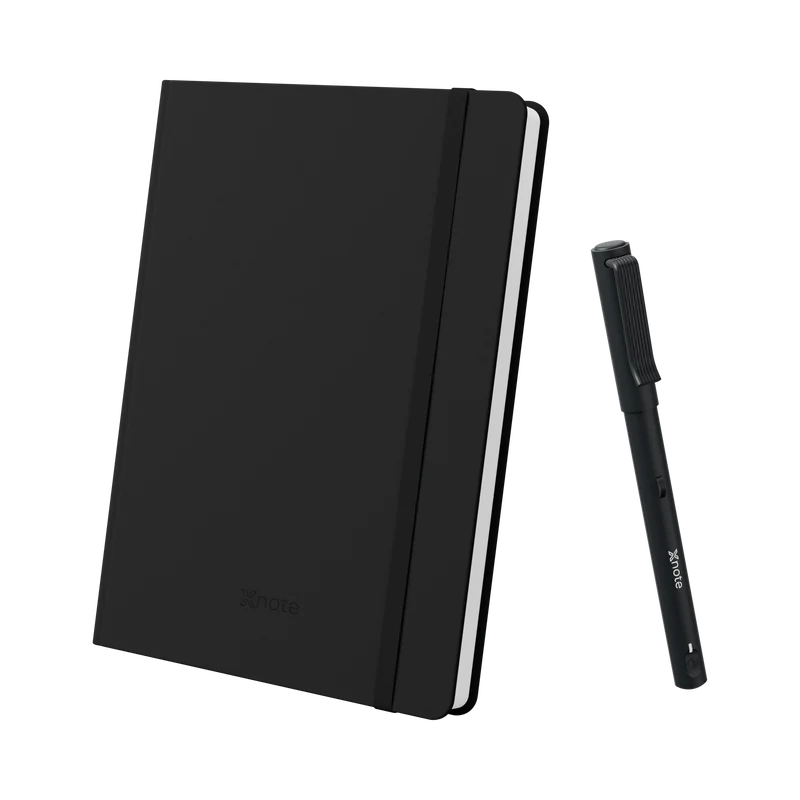
XNote Write
No subscription needed. After $199 (checked October 9, 2026), print free pages on your own laser printer, about 7 cents a page in paper and toner, print them at a shop, or buy notebooks. Refills are extra.
See XNote WritePass on XNote Write if
- You want zero ongoing cost. Every paper smart pen here, XNote Write included, needs notebooks or printed pages, plus refills. A screen skips the paper, and a Rocketbook needs only new pens.
- You write more than about 4.4 pages a workday, or more than about 2 with no laser printer (about 1.4 if you print at a shop). A Kindle Scribe or Supernote Nomad costs less over three years.
- You want to keep writing in the notebooks you already have. The pen captures handwriting only on XNote paper.
Digital notebook subscription questions
What is the cheapest digital notebook?
The Rocketbook Core is the cheapest in this comparison: $34.99 with one FriXion pen and a free app. Counting the pen, the cheapest E Ink tablet here is the reMarkable Paper Pure at $399 without Connect (a Supernote Nomad is $359, but its cheapest pen adds $65). Prices checked October 9, 2026.
Does reMarkable require a subscription?
No. A reMarkable Paper Pure ($399) writes, converts handwriting to text, syncs notebooks edited in the last 50 days and works with Google Drive, Dropbox and OneDrive with no subscription. Connect ($3.99 a month or $39.90 a year) adds handwriting search, writing in reMarkable's phone and desktop apps, and full cloud sync. Checked October 9, 2026 on reMarkable's pricing table.
Does Kindle Scribe require a subscription?
No. The Kindle Scribe without front light (16 GB) is $429.99 with the pen, and Amazon lists no fee for its notebooks or its AI notebook search and chat. The one paid extra on the product page is Send to Alexa, which needs Prime or an Alexa+ subscription on devices. Checked October 9, 2026.
Does Supernote require a subscription?
Supernote's product pages list none, and Wirecutter reports that the Supernote Manta syncs to Dropbox, Google Drive or OneDrive without one. Budget for the pen instead: it isn't in the box, and the cheapest is $65. That puts a Nomad at $424 and a Manta at $570 to start. Prices checked October 9, 2026.
Does BOOX require a subscription?
The Note Air6 C product page lists no subscription. The $579.99 standard bundle includes the BOOX Pen3, and the page lists OCR and an AI Assistant with no fee shown. So its 3-year number is its day-one price for every writer here. Price checked October 9, 2026.
Is Goodnotes free, or a one-time purchase?
Goodnotes is free for 3 notebooks. Beyond that, its website sells yearly plans: Essential at $11.99 a year with no notebook cap, and Pro at $35.99 a year, which adds sync across devices. The App Store also lists a "Goodnotes 6 One-Time Payment" at $28.99, but the pricing page doesn't say what it includes, so check in the app. Checked October 9, 2026.
Can you print your own pages for a smart pen?
With some pens. XNote and Neo let owners print free pages at home, while inq and Moleskine sell notebooks only. Pages you print from the XNote app are free: you pay only for your own paper and toner on a laser printer. That's about 7 cents a page (5 to 10 cents) at US prices we checked on October 9, 2026. Inkjet prints can't be read by the pen. Neo's pages work best on a color laser printer.
Can I print XNote pages at FedEx Office or Staples?
Yes. Upload the XNote app's PDF and ask for black and white, single-sided, actual size, 24 lb paper and laser output, then try one test page with the pen. Letter pages cost about 25 cents each (21 to 34 cents), checked October 9, 2026. That's more than a page of a bought XNote notebook (15.1 cents).
Can I get a digital notebook for free?
If you mean a PDF notebook for Goodnotes or Notability, many sites give those files away; you still need a tablet and something to write with. The cheapest real start is an iPad you already own with Goodnotes Free (3 notebooks), or a $34.99 Rocketbook Core and your phone camera. Prices checked October 9, 2026.
Sources and method
How we built the 3-year number. Day-one price, plus three years of any plan needed for handwriting search, plus paper for the page count, from maker pages, US, before tax and shipping. Paper means whole notebooks, or printed pages at 7.2 cents after the box notebook. Supernote's product pages list no plan, and Wirecutter says the Manta syncs to cloud services without one; the subscription table at the top shows both. The three writers are inputs, not survey data. We didn't test any device or printer, so this guide says nothing about writing feel or handwriting recognition.
How we priced a printed page. Toner is the middle of seven black laser cartridges, at maker prices over their rated ISO/IEC 19752 page yields: a Brother TN830, 5.1 cents a page. Paper is 24 lb copy paper, the nearest common weight that meets XNote's spec, at $10.38 a ream of 500, 2.1 cents. Together, 7.2 cents; the cheapest and dearest pairs give 5.1 and 9.9 cents. Rated yields assume a lightly printed test page, and XNote publishes no coverage figure, so treat this as an estimate.
How we priced a print-shop page. Black-and-white, single-sided letter pages on 24 lb paper (the lightest weight each shop offers that meets XNote's spec), paper included, from each shop's own online order page with store pickup, US, before tax. Small orders: FedEx Office 24 cents, Office Depot 25 cents, Staples 34 cents. We use the middle one, 25 cents; 21 cents needs an order of 1,000 pages or more. No shop states that its machines are laser or their resolution, and none has been tested with XNote pages.
Printer and box notebook. XNote's box notebook goes first; printing every page adds $13.75. The Brother HL-L2460DW ($179.99) is the cheapest printer we found that lists the PCL support XNote's help asks for. Its starter toner isn't subtracted. Neo's numbers hold only for its plain layout on a mono laser printer.
Left out, and why. A phone or computer (every paper setup needs one, none includes one), and refills and pen tips (none of these makers lists pages per refill). Also a printer, except where we show one; tax, shipping and cases; and promotions, except reMarkable's free Connect year. Notability's site showed sale prices below its regular App Store prices; we used the regular ones.
Why these 10. The setups the ranking guides name, plus the paper smart pens their cost comparisons leave out. Other models change the device price, not the plan: reMarkable Paper Pro Move ($449) or Paper Pro ($629), a Kindle Scribe with front light ($499.99) or a Supernote Manta ($505 plus a pen). Livescribe isn't here because both of its pens showed as unavailable on its US store when we checked.
Older numbers elsewhere. Wonder Tools (March 2025) lists Connect at $30 a year with a 100-day trial; reMarkable's page says $39.90 and 50 days today.
The data. Download the data: 3-year-number-2026-10-09.csv (every price, its check date and its source URL, plus the cost per printed page and per print-shop page).
Primary sources, all checked October 9, 2026:
- reMarkable: store, Paper Pure, Connect, pricing table, Connect offer
- Amazon: Kindle Scribe 16 GB, 32 GB
- Supernote: Nomad, Manta, pen
- BOOX: Note Air6 C
- Apple: iPad, Apple Pencil
- Goodnotes: pricing, App Store
- Notability: pricing, App Store
- Rocketbook: Core, pens, App Store
- Moleskine: writing set, notebooks, app, smart notebook FAQ
- Neo smartpen: dimo, notebook, Neo Studio 2, printable pages, printer requirements
- inq: writing set, A5 and Letter notebooks, FAQ
- XNote: XNote Write, notebooks and refills, plans, printable pages, printing help
- Printing: Brother TN830XL and HP 141A toner; 24 lb paper at Walmart and Staples (all seven cartridges and reams are in the CSV); print shops: FedEx Office, Staples, Office Depot
- Wirecutter: The Best Digital Notebooks, updated July 13, 2026, re-read October 9, 2026
Last updated October 2026. Prices and plans checked October 9, 2026.