Skip to content

5 reasons your notebook should do more than hold your notes.

Keep the ink and paper. Put your handwriting to work afterward.

4.6 · 196 reviews of XNote products

Phone not included.

XNote Write, a smart pen and notebook. Your handwriting appears in the XNote app as you write.

A notebook for the meeting. A notes app for afterward. A task list for what comes next.

You write the notes by hand, type them up later, then copy the next steps into another app. Each tool has a job. You are the one moving the same information between them.

XNote Write starts with the page you already wrote. The smart pen and notebook send your handwriting to the XNote app, where you can turn it into text, ask about it and share it.

Here are five reasons to give that page another job.

Five reasons. One handwritten page.

Real ink, followed by actual XNote app recordings. Here is what happens after you write.

  1. Write in ink. Keep a digital copy.

    Phone not included.

    Write in ink on XNote paper. Each page appears in the XNote app as you write.

    The pen reads a tiny pattern printed on XNote notebooks and on pages you print from the XNote app, and sends every stroke to the app over Bluetooth.

    No phone nearby? The pen stores up to 1,000 pages.

  2. Turn handwriting into text you can search and edit.

    Actual app recording.

    Handwriting-to-text is unlimited, and you can edit any converted text in the app.

    Find any page by a word you wrote, across every notebook.

    “It does a great job recognizing my horrible handwriting.”

    Rick H., verified buyer · XNote Smart Writing Set · January 2025
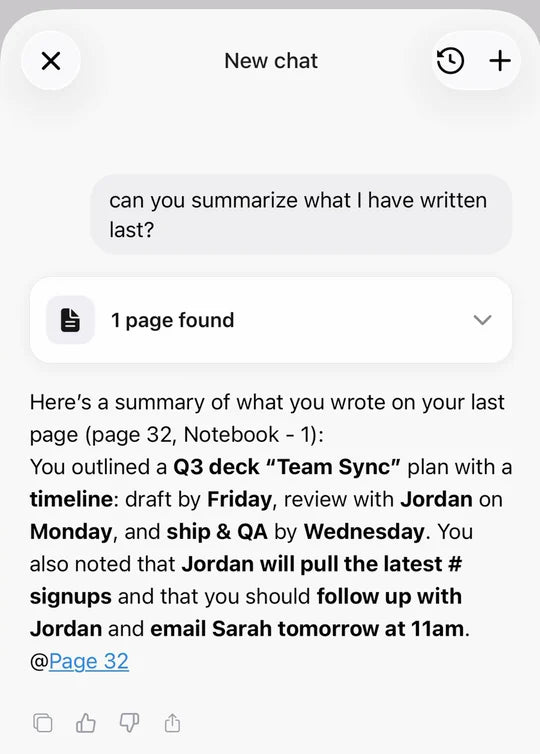
  3. Ask your notes instead of reading every page again.

    Actual app recording.

    The answer comes from your own pages and links back to the page it used.

    AI chat with your notes is included with XNote Write.

    Ask for a summary, then share it by link, export it to Word, or post it to Slack with a workflow.

  4. Make the to-dos you wrote into tasks with dates.

    Actual app recording.

    Next steps you write become tasks, and dates become events. Send them to Todoist, Google Calendar or Outlook.

    • Todoist
    • Google Calendar
    • Outlook Calendar

    Automations use workflows: 1 with Write, more on paid plans.

    “…writing minutes during upper management meetings. The XNote system has become essential to my workflow.”

    Caroline C., verified buyer · November 2025Review of the XNote Standard Smart Notebook
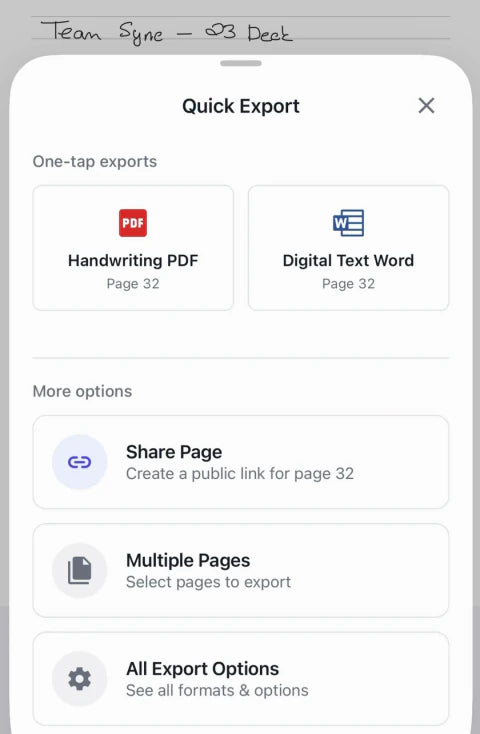
  5. Send the page without typing it all again.

    The XNote app’s Quick Export sheet: Handwriting PDF, Digital Text Word and Share Page (actual app recording)
    Actual app recording.

    Export a page as a PDF or Word file, or share a link to a page.

    Keep the handwriting when you want the original page. Use converted text when someone needs to edit it.

    “The first client I used it with, I emailed the notes to them before they even left the office.”

    Robert T., verified buyer · XNote Smart Writing Set · June 2025

See what it costs

Three things we would rather you knew before you buy.

  • The pen writes. It doesn't record.

    The pen has no microphone. To record, use the XNote app on your phone, send the meeting recorder to a Zoom, Google Meet or Microsoft Teams meeting, or use XNote Voice for phone calls.

    The Free plan includes 150 audio minutes a month for recording with the XNote app. The meeting recorder uses audio minutes too; if you record meetings often, a plan adds more.

  • It writes on XNote paper: a notebook, or pages you print.

    The pen reads a tiny pattern printed on XNote notebooks and on pages you print from the XNote app. On ordinary paper, it's just a pen.

    • Mini Sold out
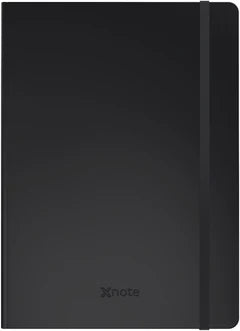
    • Standard $29
    • Large $39
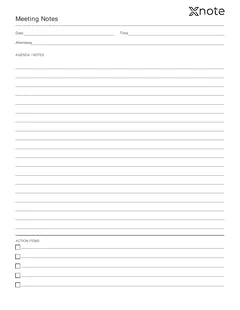
    • A printable XNote page in the Meeting Notes layout (layout preview) Print your own Layout preview

    Printing your own pages takes a laser printer, 600 dpi or better. Inkjet prints can't be read by the pen.

  • It works through the XNote app.

    Works with iPhone, iPad, Android and the web app.

    Handwriting-to-text and AI need an internet connection.

    Phone not included.

    After you pair the pen, the app offers XNote Pro. You can close it; everything included with XNote Write keeps working.

What buyers say, four-star reviews included.

Every quote on this page is from a verified buyer’s review on xnote.ai, word for word. Most are excerpts; the full reviews are on the product page.

  • “Handwriting recognition is better than any other system I've tried - and I've tried many. The AI organising capability is underwhelming.”

    William, verified buyer · XNote Smart Writing Set · July 2025
  • “I love writing notes rather than typing them in meetings, so when I saw this tool I was excited to see if it would perform as advertised. It totally does and it’s very fun to see my elaborate cursive writing transform into text. I’m impressed it immediately picked up my cursive without error.”

    Jennifer S., verified buyer · April 2025Review of the XNote Mini Smart Notebook
  • “So far, this has worked as advertised, actually better than expected. The only thing I would request at this point is a better writing experience. The ink is very light and extra fine.”

    Michael S., verified buyer · XNote Full Set · June 2026
  • “I have a remarkable as well but missed the feel of having a real notebook so thought I'd try this out. I find the XNote much quicker and more accurate when it converts to text…”

    Amanda S., verified buyer · XNote Smart Writing Set · June 2025

4.6 from 196 reviews of XNote productsRead all reviews →

See how people use XNote.

Phone not included.

$199 for a pen? And a monthly fee after that?

After $199, it's just paper and ink.

The five reasons come with Write. Here is what you pay for the hardware, and what stays optional.

A paper notebook costs less. Compare the full bill before you decide.

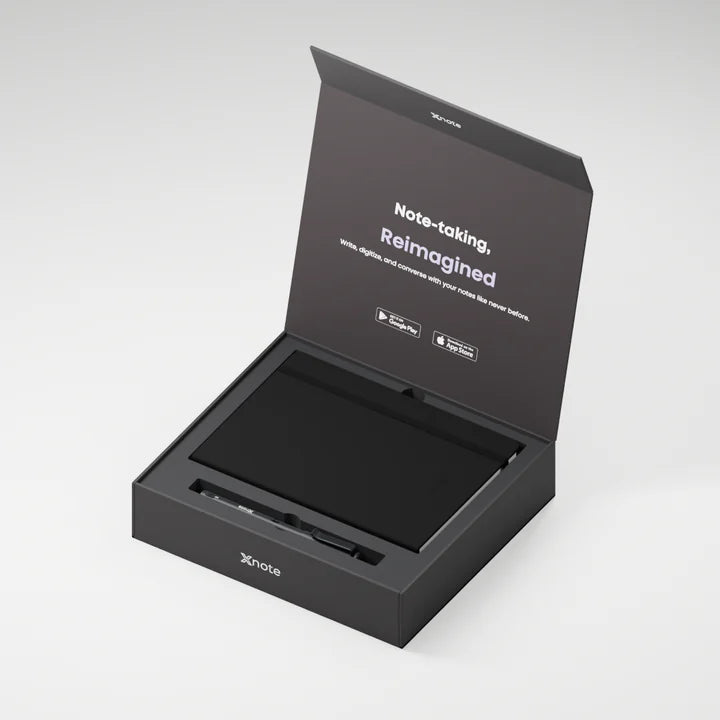
The XNote Write box, open, with the notebook and the pen inside (illustration)

What's in the box?

XNote smart pen, Standard notebook (5.83 × 8.27 in, 192 pages), USB-C charging cable, 5 ink refills and the Free XNote plan. Phone not included.

Today
$199
XNote Write: the pen, a notebook and the app
The app
$0 a month
Handwriting-to-text is unlimited and AI chat is included.
When the notebook is full
from $19
A new XNote notebook, or pages you print from the app on your own laser printer. Printable pages are included with XNote Write.
When the ink runs out
$12
The pen takes standard D1 ballpoint refills. XNote refills are $12 for a pack of 5 (black, 0.8 mm).
Only if you want it
Optional
Plans are optional and mainly for audio.

XNote Write ships free in the US. Other US orders ship free over $65, and international orders over $150. International orders may owe duties and VAT on delivery.

When something else is the better buy

If you write a page now and then, a photo may be all you need. If you want to draw in color or mark up PDFs, a tablet is the better tool. XNote Write is for people who fill notebooks and want them searchable.

If it misreads a word. If you change your mind. If the pen fails.

Will it read my handwriting?

Several owners with messy handwriting or cursive say it reads theirs well (see reviews), and you can edit any converted text in the app. Choose your writing language when you set up.

“I missed some transcription but it was easy to add in the text edit side. Such a great product.”

Frazier D., verified buyer · XNote Full Set · August 2026

Thirty days to decide. The conditions, in plain view.

Request a return within 30 days of receiving it for a full refund. Send the set back complete. Try the pen and write in the notebook; using the notebook does not affect your refund. The pen has a 12-month warranty.

Printed pages need a laser printer.

Return policy →

“I was prepared to try it and return it if it did not live up to my expectations. Well, after 2 weeks I still have it…”

Mark H., verified buyer · XNote Smart Writing Set · January 2026

What's the warranty?

12 months on the XNote smart pen from your invoice date, covering repair or replacement of failures under normal use (proof of purchase required). Notebooks are consumables and aren't covered; a verified manufacturing defect at delivery may be replaced.

“The pen wasn’t working out of the box. Sent them my email and they sent me a new set within a week.”

Hesam M., verified buyer · January 2025Review of the XNote Large Smart Notebook
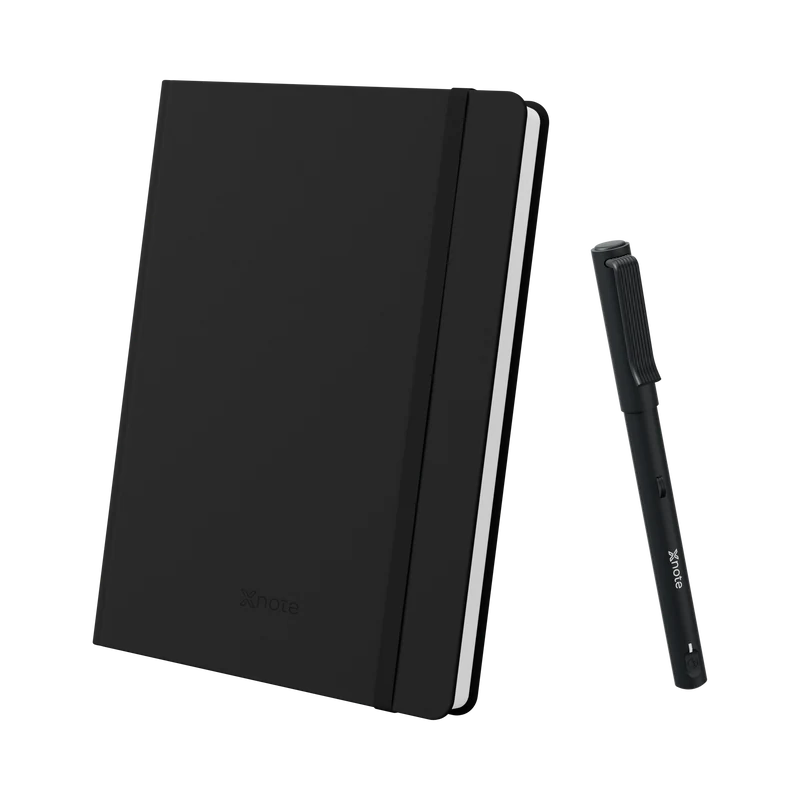
XNote Write: the XNote smart pen beside a Standard notebook

XNote Write

Ships now

Smart pen and notebook. Your handwriting, searchable and understood by AI.

4.6 · 196 reviews of XNote products

$199

Standard US delivery takes 3–4 business days; Express and Next-day options are shown at checkout.

  • Visa
  • Mastercard
  • American Express
  • Discover
  • Apple Pay
  • Google Pay
  • Shop Pay

Prime Day DealTwo sets at $179 each. Three at $169 each.

Buy two XNote Write sets for $179 per set, or three for $169 per set. Valid October 1–17, 2026 on xnote.ai. The discount is applied at checkout.

Writes on XNote notebooks and on pages you print from the XNote app on a laser printer. The pen does not record audio. Three things to know

See the full product page →

Your first day with XNote.

  1. Install the XNote app from the App Store or Google Play, or open web.xnote.ai.
  2. Pair the pen. The first pairing needs internet.
  3. Write your first page and watch it appear.

Questions? support@xnote.ai

“I got the XNote for my father. He was able to easily understand the usage of it despite not being very tech savy.”

Alfredo, verified buyer · XNote Smart Writing Set · July 2025

Before you buy

Do I need Pro to record meetings? What if I run out of minutes?

Not to try it. The Free plan includes 150 audio minutes a month for recording with the XNote app. The meeting recorder uses audio minutes too; if you record meetings often, a plan adds more. If you run out, you can still record, but transcription pauses and the meeting recorder stops joining meetings until your minutes renew or you add more.

Will it work with my phone or computer?

iPhone and iPad with iOS 16.4 or later, Android 7.1 or later, or the web app at web.xnote.ai, which can pair the pen in Chrome, Edge or Opera. The first pairing needs internet. Phone not included.

Will printable pages work with my printer?

You need a laser printer, 600 dpi or better. Inkjet prints can't be read by the pen. Print from a computer at 100% (actual size) on plain white paper. Paper size: US Letter or A4, whichever you choose in the app.

Does it capture drawings?

Yes, as ink: drawings are saved on the digital page as you drew them and export as a PDF or image. Text recognition is for writing, and handwritten tables can be converted to a spreadsheet.

Battery and charging

Up to 17 hours of continuous use per charge. It charges with the included cable; a full charge takes up to 3 hours.

Is my data private? Is it used to train AI?

XNote does not use customer data to train general-purpose AI models. Your pages and recordings are processed in the cloud to turn them into text and answers. Request account deletion and your data is deleted within 14 days, with limited exceptions.

Privacy policy →

Keep the notebook. Give the page more to do.

Your next page can stay in ink and become text you can search, ask about and send.

Write with XNote Write. Let the XNote app handle what comes after.

Standard US delivery takes 3–4 business days; Express and Next-day options are shown at checkout.

Your 30 days to decide start when it arrives, not when you order.

XNote Write$199Ships now

Prime Day DealBundle pricing applies automatically. Through October 17.

Writes on XNote notebooks and on pages you print from the XNote app on a laser printer. The pen does not record audio. Three things to know

Your cart